🏗️ สถาปัตยกรรมระบบ
ภาพรวมระดับสูง
ระบบ Nextcloud NAS ถูกออกแบบให้แยกจาก Services อื่นบนเซิร์ฟเวอร์ โดยใช้ Docker Container Isolation
┌─────────────────────────────────────────────────────────────┐
│                    Server 103/101                           │
│                Server (Dedicated)                          │
├─────────────────────────────────────────────────────────────┤
│  Existing Services (ไม่แตะต้อง)                             │
│  - CCAP (port 8900)                                        │
│  - ComfyUI (port 8188)                                     │
│  - Forgejo (port 4224)                                     │
│  - Ollama, MinIO, Signal API                               │
├─────────────────────────────────────────────────────────────┤
│  Nextcloud Stack (แยกอิสระ)                                │
│  ┌─────────────────────────────────────────────────────┐   │
│  │  Cloudflare CDN (proxy + DDoS protection)          │   │
│  │         │                                           │   │
│  │    HTTPS :443 (encrypted)                          │   │
│  │         │                                           │   │
│  │    nginx Reverse Proxy                              │   │
│  │    /etc/nginx/sites-available/cloudcdm              │   │
│  │         │                                           │   │
│  │    Port 9090 → Docker Container                    │   │
│  │         │                                           │   │
│  │  ┌─────────────────────────────────────────────┐   │   │
│  │  │  nextcloud-app (Nextcloud 29 + Apache)     │   │   │
│  │  │  - PHP 8.2                                  │   │   │
│  │  │  - Read-only filesystem via bind mount      │   │   │
│  │  └────────────┬────────────────────────────────┘   │   │
│  │               │                                      │   │
│  │  ┌────────────┴──────────────────────┐             │   │
│  │  │  nextcloud-db (PostgreSQL 16)    │             │   │
│  │  │  nextcloud-redis (Redis 7)       │             │   │
│  │  │  nextcloud-cron (Background)     │             │   │
│  │  └───────────────────────────────────┘             │   │
│  └─────────────────────────────────────────────────────┘   │
│                                                             │
│  Docker Network: nextcloud-net (172.30.0.0/16)             │
│                                                             │
│  Storage: /data/ (5.5 TB) — Bind-mounted read-only         │
└─────────────────────────────────────────────────────────────┘
Docker Containers
| Container | Image | Port | หน้าที่ |
|---|---|---|---|
| nextcloud-app | nextcloud:29-apache | 9090 → 80 | Nextcloud Web Server |
| nextcloud-db | postgres:16-alpine | internal | ฐานข้อมูล |
| nextcloud-redis | redis:7-alpine | internal | Cache & Session |
| nextcloud-cron | nextcloud:29-apache | internal | Background Jobs |
การจัดการไฟล์ (File Access)
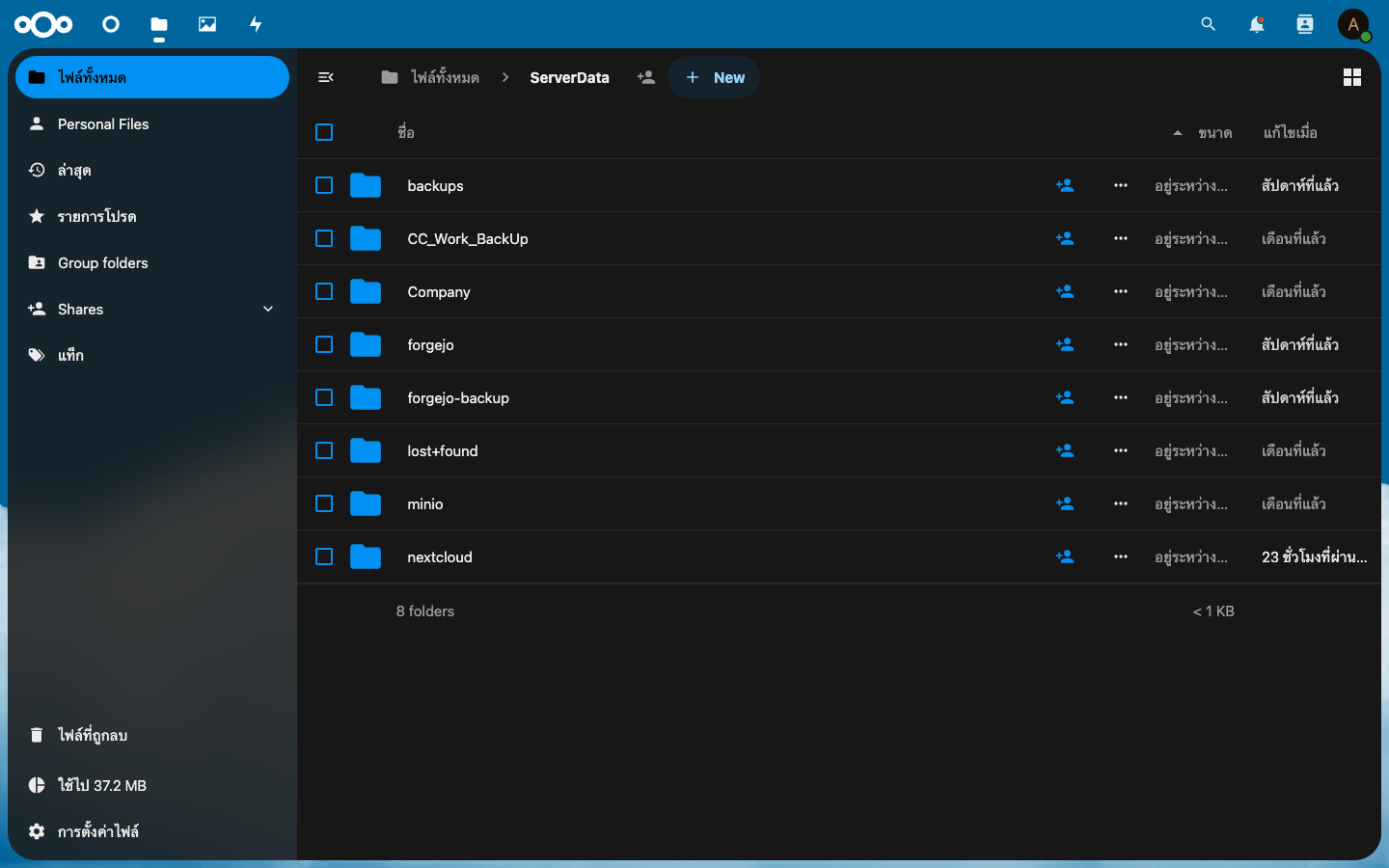
Admin View
- Admin (
adminuser) มีServerData/โฟลเดอร์ที่ mount/data/ทั้งหมด - เป็นแบบ Read-Only — ไม่สามารถแก้ไข/ลบไฟล์ต้นฉบับได้
- เหมาะสำหรับการเรียกดูไฟล์ทั้งหมด
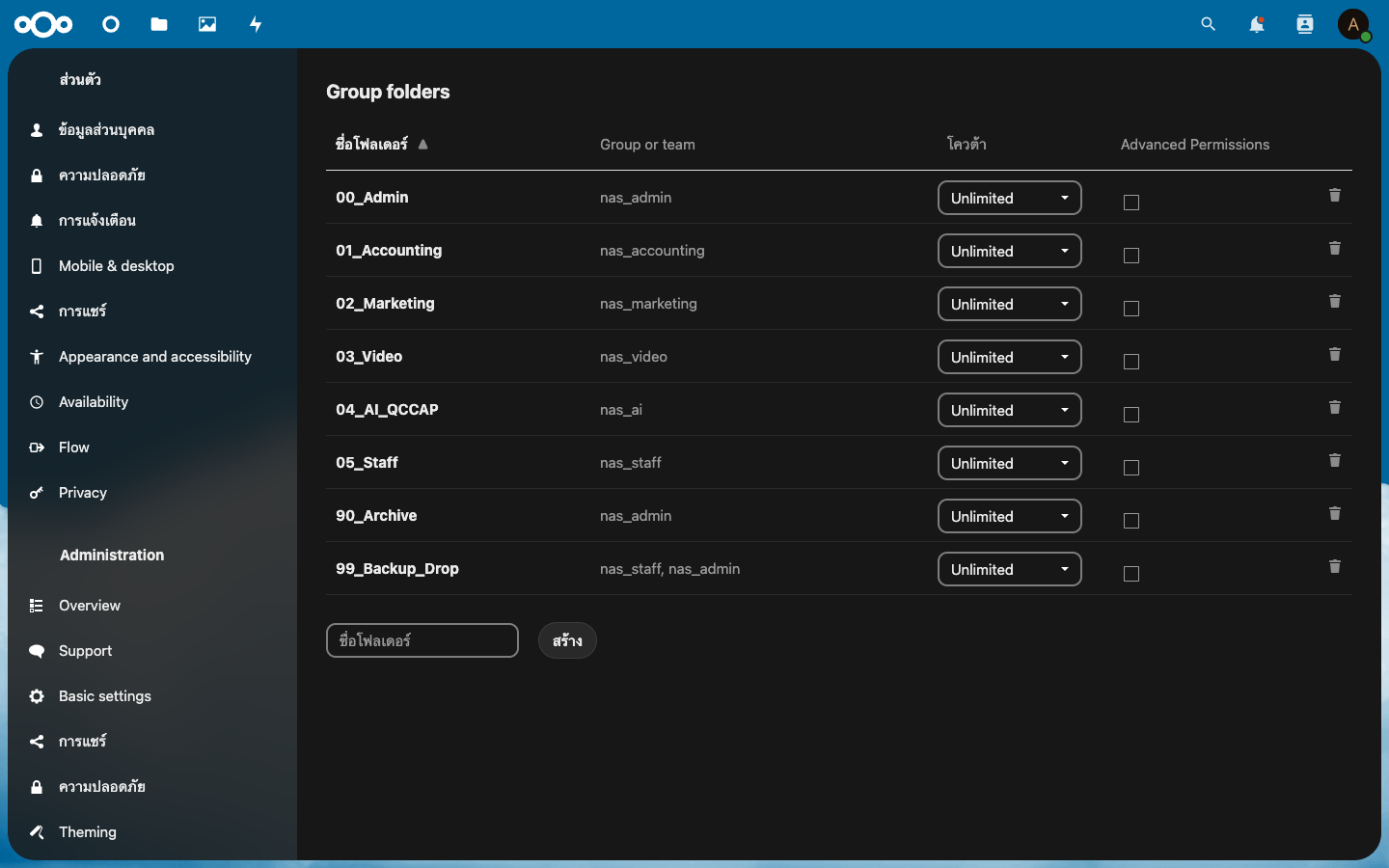
User View (Group Folders)
- ผู้ใช้ทั่วไปเห็นเฉพาะ Group Folder ที่ได้รับสิทธิ์
- ใช้ระบบ Group Folders App จัดการ
- Bind-mount บน Host (
/data/Company/XX → __groupfolders/ID/XX) - GID-based access control (nas_admin=1008, nas_accounting=1009, ฯลฯ)
Network Flow
User Browser
    │  HTTPS
    ▼
Cloudflare CDN (104.21.37.153)
    │  HTTP/HTTPS to Origin
    ▼
nginx (port 80/443)
    │  proxy_pass
    ▼
nextcloud-app:80 (Docker)
    │  TCP
    ▼
nextcloud-db:5432
nextcloud-redis:6379
SSL Certificate
| รายการ | ค่า |
|---|---|
| Provider | Let's Encrypt |
| Renewal | Auto-renew via certbot |
| Expiry | Oct 2, 2026 |
| Config | /etc/letsencrypt/live/cloudcdm.contentsdigital.us/ |